Integrating BridgeAthletic into Your Coaching Practice
Available in:
EN

As client volumes increase and coaching services expand online, practitioners need structured workflows to keep assessment, exercise prescription, program delivery and ongoing monitoring connected. This often involves managing the training process through a combination of spreadsheets, PDFs, messaging applications and live coaching. As the number of clients increases, that approach becomes harder to manage.
Program design and delivery software, such as BridgeAthletic, allows practitioners to build, deliver and track training for full rosters, small training groups and remote clients through a single platform.
Individualizing Training at Scale
As a practitioner, I work with a large volume of both in-person and online clients with varying performance and rehabilitation needs. With clients across numerous sports, age groups and fitness levels, even a relatively generalized approach to programming is not an option.
With a high volume of personalized programs, my workflow starts with a baseline program that provides a basic training structure. I create this template using BridgeAthletic’s Master Program workflow, then modify exercise selection, training days, volume, intensity, percentages and rate of perceived exertion (RPE) to suit each client without changing the original template. This speeds up the mundane elements of programming and lets me focus on the key training variables of interest.
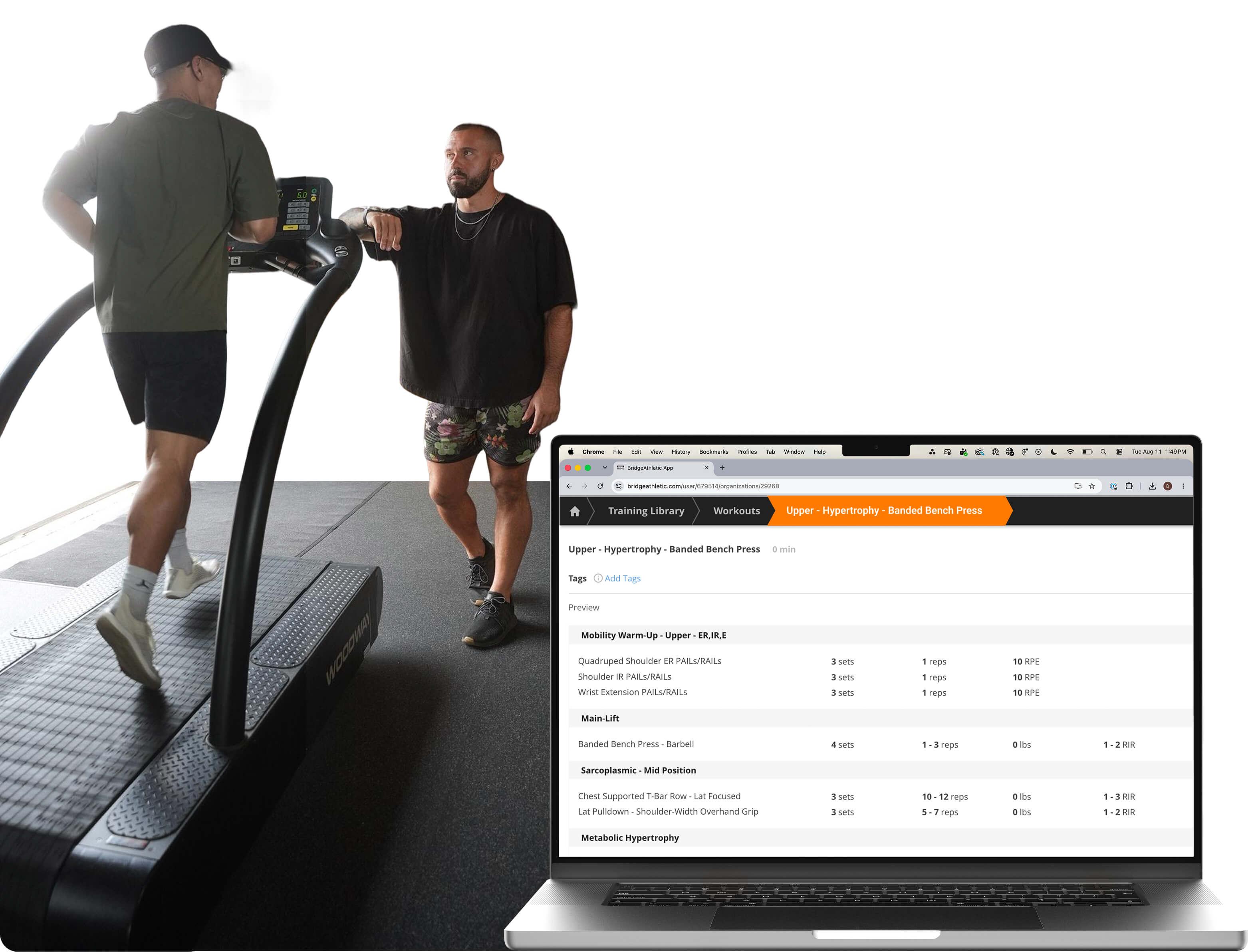
In practice, this allows me to organize daily programming for the training groups I manage, such as a full basketball roster, quickly and efficiently. From a sport-specificity perspective, many athletes on a team experience similar demands. However, I can adjust the variables that make training unique to each athlete based on factors such as:
- Rehabilitation status
- Position
- Role (e.g., starter vs. non-starter)
Once a program is assigned, I can edit sets, repetitions, tempo and rest for a specific exercise, swap in an alternative exercise (e.g., a progression or regression) and adjust training days to match an athlete’s actual schedule and capacity. Athletes can select an assigned alternative during training while staying within the same overall program, with exercise switches available for my review. This lets me individualize training without having to create multiple separate programs.
…I can edit sets, repetitions, tempo and rest for a specific exercise, swap in an alternative exercise and adjust training days to match an athlete’s actual schedule and capacity.
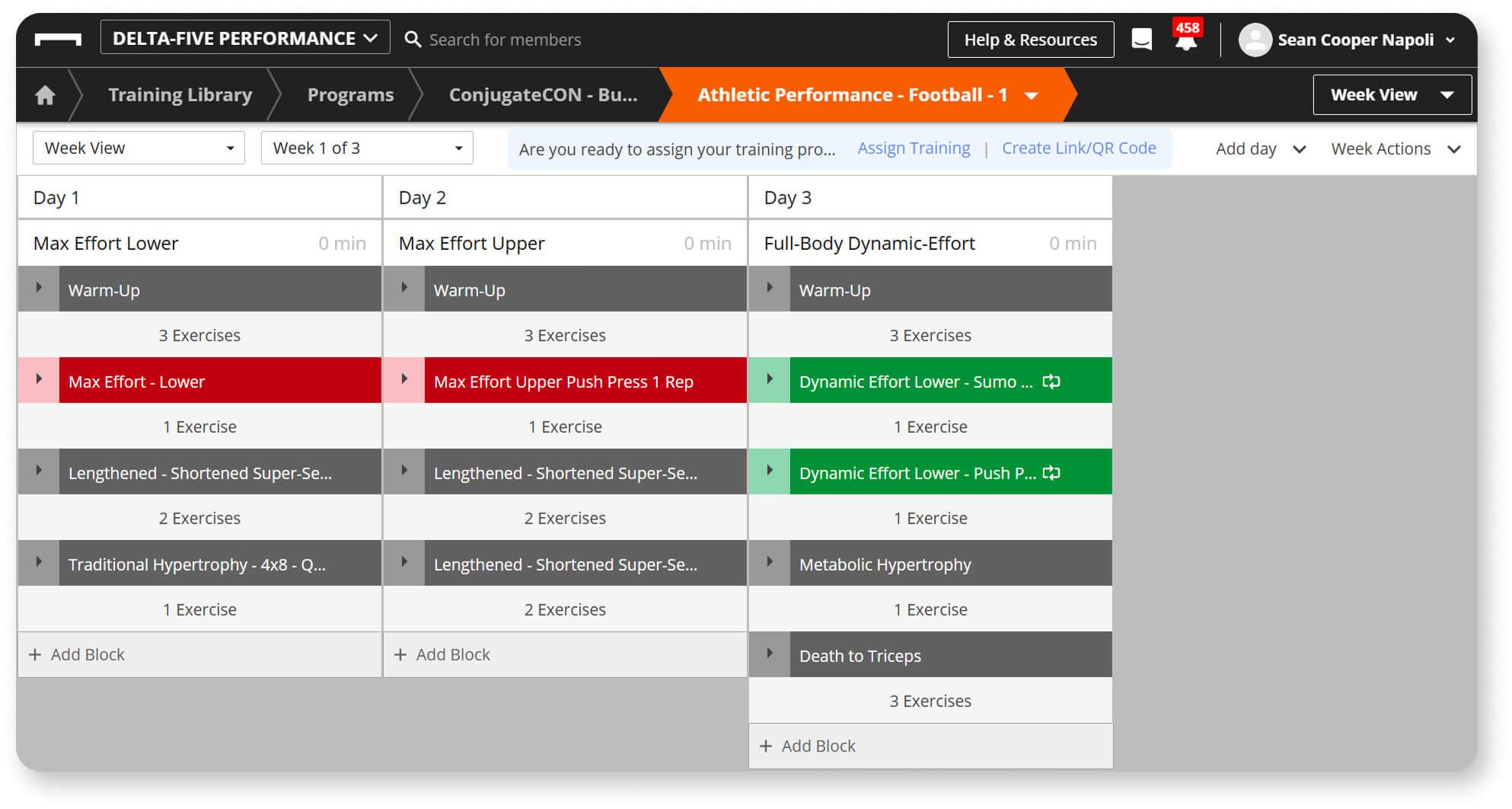
BridgeAthletic’s Week View, showing workouts organized into training days and exercise blocks.
Streamlining Program Design
Programming is repetitive by nature. Practitioners may change exercises, volumes and intensities between athletes, but much of the underlying structure remains similar.
BridgeAthletic’s Builder feature allows programs to be organized into phases, workouts and blocks. Practitioners can build programs from scratch, work from existing templates or copy a phase from another program. With more than 20 exercise parameters, including weight, percentage of one-repetition maximum (%1RM), velocity, force and time, practitioners can also incorporate objective data from technologies such as GymAware and SmartSpeed directly into their programming, rather than adding separate notes for athletes to read.
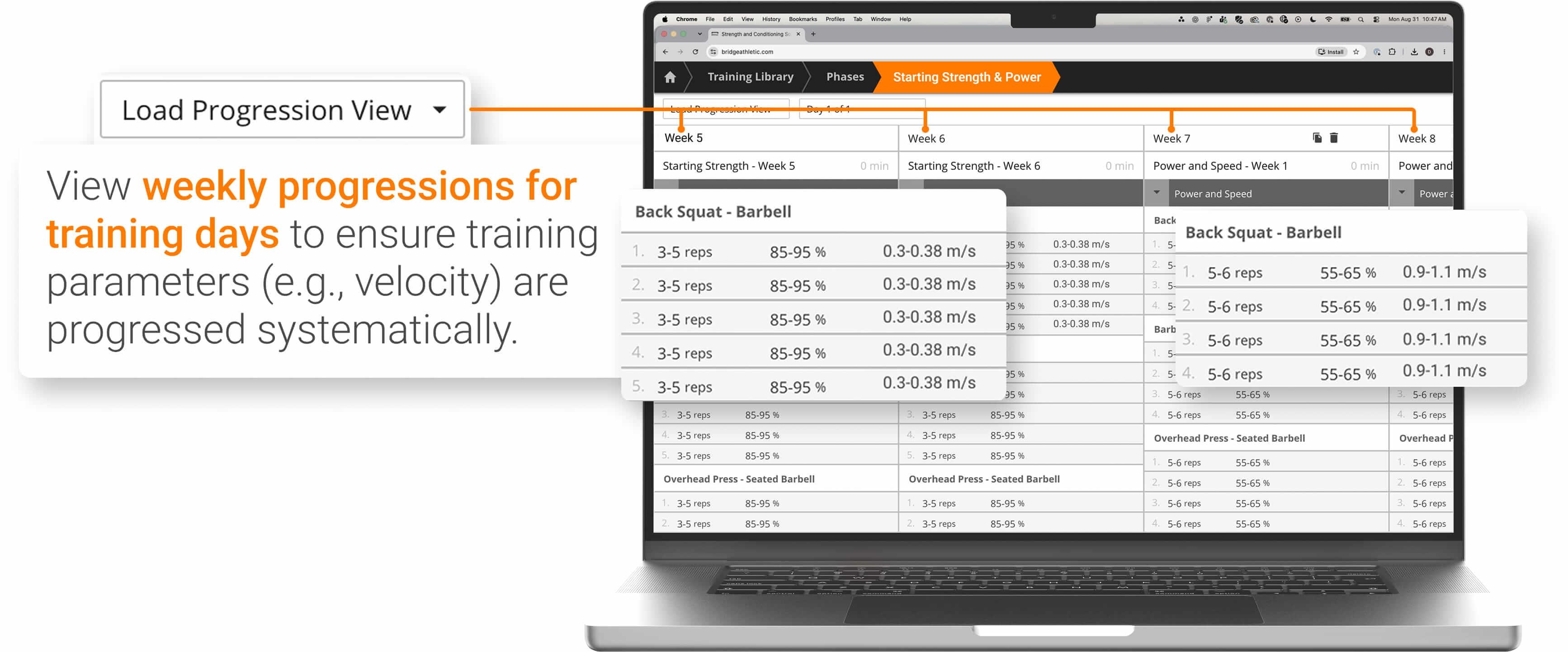
This becomes useful when managing repeated programming cycles. Using Week View, I can establish the first training week of a four-week strength phase, then use Load Progression View to manage changes in volume or intensity across subsequent weeks. Workouts, blocks and phases can also be reused rather than recreated each time, reducing the amount of administrative work required to implement programming decisions.
…[these features reduce] the amount of administrative work required to implement programming decisions.
Optimizing Online Programming
Online coaching can be challenging when assessing exercise execution, monitoring load progression and managing training intensity and volume. Program quality depends on how clearly athletes understand the prescribed exercises. Therefore, BridgeAthletic provides an exercise library with video demonstrations, equipment tags and custom exercises. Clients can also submit videos through the app when needed, giving me another way to review exercise execution remotely.
To support this, I also create educational playlists alongside the client’s primary training program. These can be used to provide remote clients with guidance on exercise technique, warm-up instruction, recovery and other educational information that supports the training process.
Prescribed vs. Actual reporting allows me to compare planned training with what athletes actually complete, helping identify potential compliance issues before they affect longer-term progression. This also provides insight into week-to-week improvements and whether prescribed loads remain appropriate for each athlete’s current capacity.
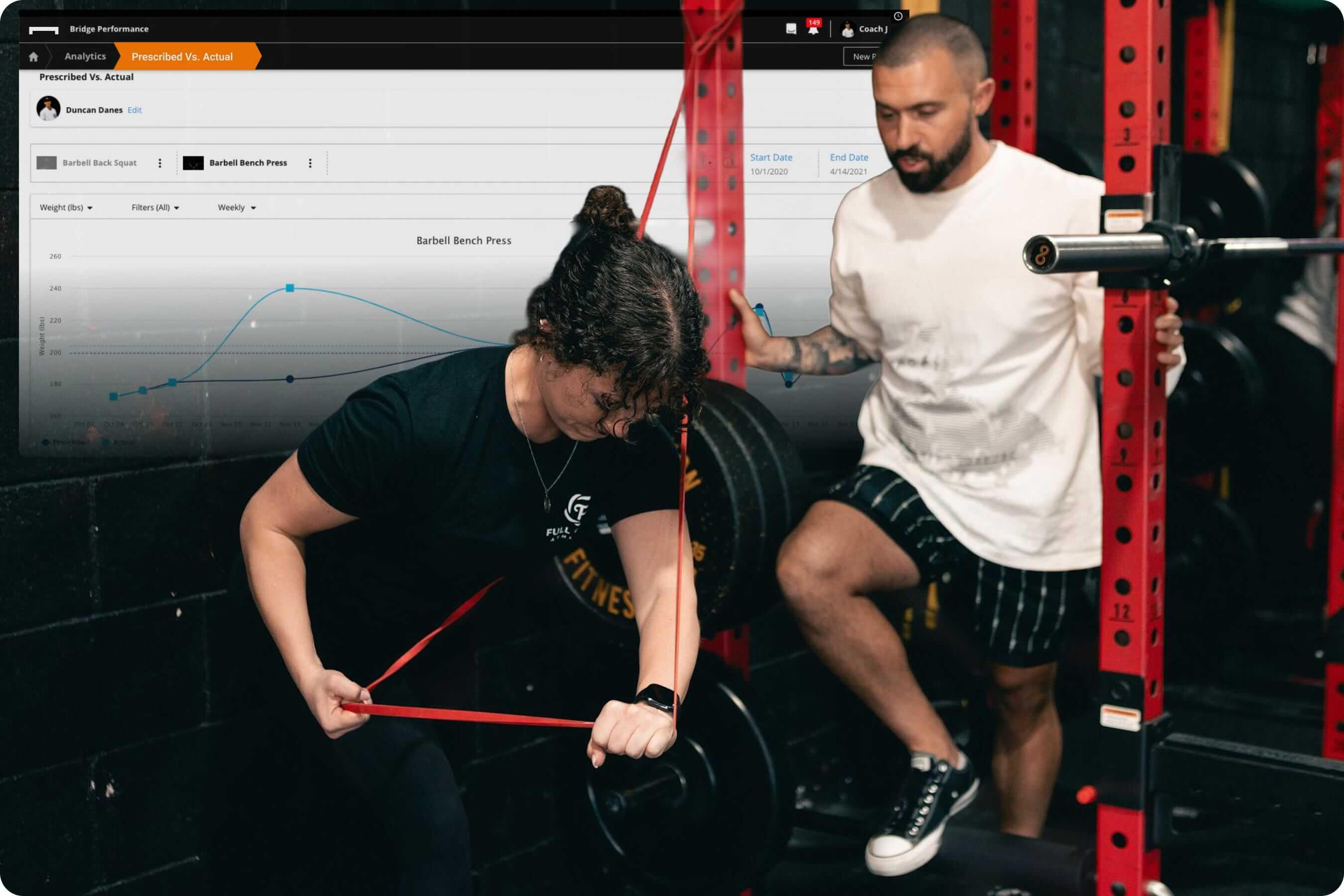
For remote athletes, it is particularly useful to have programming, exercise instructions and training records in the same environment rather than split across a spreadsheet, video library and messaging thread.
Improving the Client Experience
Building the program is only part of the process. For practitioners working with remote clients, managing communication, program adherence and retention also requires staying informed about whether athletes completed their prescribed training and how they responded. BridgeAthletic’s program tracking and management features help me do this without being physically present.
BridgeAthletic allows workout completion data to be viewed directly within the Builder. I can see how many assigned athletes have completed a workout, identify those athletes and review their completed work without leaving the programming interface. I can also reference athlete history while building future sessions, reducing the need to move between separate programming and tracking systems when deciding whether a progression, regression or loading adjustment is appropriate.
None of this replaces a conversation with the client, but it changes what that conversation is based on.
None of this replaces a conversation with the client, but it changes what that conversation is based on. Instead of asking a remote athlete how the week felt, I can open their attendance and engagement numbers first, then use follow-up questions to add context the data cannot provide on its own.
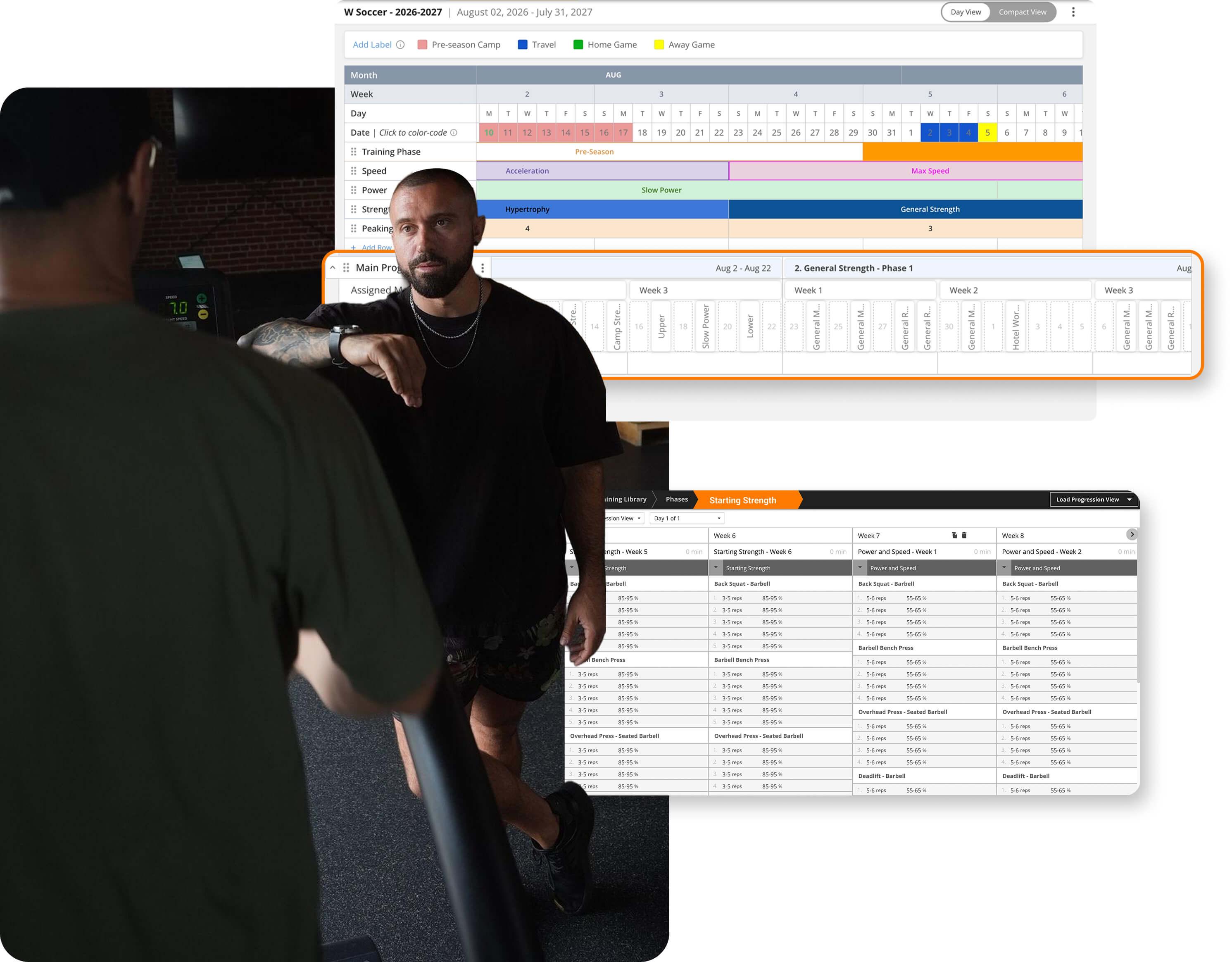
Features like Annual Planner and Load Progression View allow practitioners to tailor programs with the end goal in mind rather than prescribing training session by session.
Simplifying Practitioner Workflows
A structured program design system can help improve client outcomes and streamline practitioner workflows. Those looking to implement program design software need to do so without adding unnecessary complexity to their workflow. BridgeAthletic addresses this by providing an interconnected system for program design and client program management.
Practitioners still make the programming decisions, but BridgeAthletic reduces the administrative work involved in rebuilding templates, following up on program adherence and manually entering data.
If you are interested in learning how you can integrate BridgeAthletic into your workflow, get in touch with our team.
